


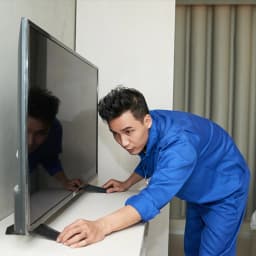
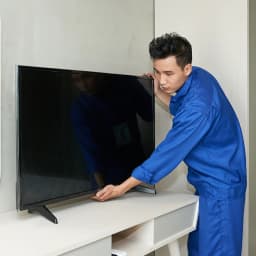
Why Did My TV Go Dead After Last Night's Storm in Darbhanga?
This question reaches us every year from May to August. A thunderstorm rolls over Darbhanga in the evening, the power trips, and when it comes back the TV refuses to start. Sometimes the standby light glows but the screen stays black; sometimes there is no light at all. In most of these cases, a voltage surge, either from lightning nearby or from the power returning with a jolt, has damaged the TV's power supply board or, less often, the mainboard. The panel itself is usually fine. That is good news, because it means the TV can almost always be repaired.
Storms are only one chapter. TVs in Darbhanga meet different threats at different times of the year: heat in summer, damp and floods in the monsoon, long viewing hours during festivals and cricket, and fog that confuses DTH signals in winter. This page goes through the year season by season, then lists the faults we see, our service checklist and what we will not do, for anyone looking for LED TV repair in Darbhanga.
March to May: Rising Heat and the First Storms
As temperatures climb towards 40°C, TVs mounted on outer walls or tucked into closed wooden cabinets run hot. Heat is the main enemy of the LED backlight strips that light up the screen. Each LED is small, but there are dozens of them in series, and when one fails, the whole strip or the whole screen goes dark while the sound continues.
Late April and May also bring the first pre-monsoon storms, with lightning and sudden power cuts.
Common problems
- Sound present, no picture, caused by failed backlight strips.
- TV dead after a storm, from a blown power supply board.
- HDMI ports damaged by surges through the set-top box cable.
Service focus
Backlight testing and replacement, power board repair, and advice on surge protection for both the TV and the set-top box.
June to September: Monsoon, Moisture and Flood Risk
Darbhanga's monsoon is long and heavy, with near-saturated humidity for weeks and waterlogging in low-lying neighbourhoods. In some years, flooding in the surrounding district affects whole villages and outer colonies.
Common problems
- Intermittent switching off, flickering or lines on the screen as moisture gets into board connectors.
- Corrosion on the mainboard and T-con connectors in ground-floor rooms.
- Remote not working because the IR receiver has corroded.
- TVs damaged when floodwater reaches the stand or wall socket.
Service focus
Cleaning and treating corroded connectors, drying and testing boards, replacing IR receivers, and a careful inspection of any TV that has been near water before it is switched back on.
October and November: Festivals, Guests and Long Viewing Hours
Durga Puja, Diwali, Chhath and Sama-Chakeva fill homes with family. The TV runs for many hours a day, often at high brightness, and a weak backlight that was hanging on finally gives out. If there is a cricket series or a major event, the strain is even greater.
Common problems
- Backlight failure after long hours.
- Smart TVs slowing down, apps crashing, or freezing on the logo screen.
- Speaker distortion at high volume.
Service focus
Backlight work, software reset and update, storage clean-up, and speaker or audio board repair.
December to February: Fog, Cold and Signal Confusion
Dense fog settles over Darbhanga on many winter mornings and evenings. Hardware faults are fewer in this season, but we get many calls for problems that turn out not to be the TV at all.
Common problems
- "No signal" messages caused by DTH signal loss in heavy fog or a misaligned dish.
- Pixelated channels from weak signals or loose cables.
- Occasional power board faults from condensation when a cold room heats up quickly.
Service focus
Separating set-top box issues from TV faults, checking HDMI cables and inputs, and testing boards where there is a genuine fault. A simple tip: if the TV's own home screen or settings menu shows up clearly, the TV is working, and the fault lies with the signal or the box, so call your DTH provider first and save the cost of a repair visit.
Year-Round Protection for a TV in a Humid, Storm-Prone City
A few habits make a large difference to how long a TV survives in Darbhanga.
Protect against surges at both ends
Use a quality spike guard or a TV stabiliser, and plug the set-top box, soundbar and TV into the same protected strip. Surges often enter through the dish cable or the box's power plug and travel into the TV through the HDMI lead, which is why a TV on a protected socket can still lose its HDMI port if the box is plugged in elsewhere.
Unplug during thunderstorms
Switching off with the remote is not enough. During heavy storms, pull the plug and, if possible, disconnect the dish cable from the set-top box. It takes ten seconds and prevents most storm damage.
Keep air moving around the TV
Leave a gap behind wall-mounted TVs, avoid closed cabinets, and do not mount the TV directly above a cooler or a heater. In summer, lower the brightness a little; the picture still looks good and the backlight lasts longer.
Keep damp away
In ground-floor rooms that take in water during heavy rain, keep the TV and the socket well above floor level. In the monsoon, switch the TV on for a while every day if you are at home, as gentle warmth from operation helps keep moisture off the boards. If you will be away for weeks, unplug it.
Repair the TV or Buy a New One?
For most faults, repair wins. Backlights, power boards, mainboards, ports, speakers and software can be fixed for a fraction of the price of a new set. The panel is the exception. If it is cracked or has dark blotches, the replacement panel alone can approach the cost of a new TV, especially for 32 to 43-inch models. In that case we will tell you clearly and let you decide. For older TVs that need two or three major boards at once, we compare the total with a new model so you are not throwing good money after bad.
LED TV Faults, Causes and Repair Outlook
| Fault | Probable cause | Repair outlook |
|---|---|---|
| Sound but black screen | Backlight strips or LED driver | Usually repairable |
| No power, no standby light | Power supply board, often from surge | Usually repairable |
| Restarts repeatedly or stuck on logo | Mainboard or software | Usually repairable |
| Lines on the screen | T-con, ribbon cable or panel | Depends on diagnosis |
| No sound | Speaker, audio amplifier, settings | Repairable |
| HDMI not working | Surge-damaged port | Repairable |
| Remote does not respond | IR receiver, remote fault | Repairable |
| Cracked or blotchy screen | Damaged panel | Rarely cost-effective |
Our 10-Step TV Inspection
- Check the wall socket, voltage and surge protector.
- Confirm whether the fault is with the TV or the set-top box.
- Test the TV's own menu, inputs and settings.
- Perform a power reset and software check on smart TVs.
- Test the backlight with a dedicated tester if the screen is dark.
- Measure outputs from the power supply board.
- Inspect the mainboard and T-con for burn marks and corrosion.
- Check HDMI, USB and antenna ports.
- Test the speakers and audio output.
- Explain the diagnosis and the quote before repair begins.
What We Will Not Do
- Declare a panel dead without testing the backlight first.
- Replace a whole board when a reliable component-level repair will do.
- Recommend a panel replacement that costs nearly as much as a new TV without telling you so.
- Hold your TV for days without explaining the fault.
- Pretend to be an authorised brand service centre.
Darbhanga Areas We Cover
We send technicians to Allalpatti, Laheriasarai, Benta, Donar, Lalbagh, Bela, Kadirabad, Mirzapur, Shubhankarpur, Gangwara, Bahadurpur, Chunabhatti, Bhatiyari Sarai, Kathalbari, Hasanchak, Delhi Mor, Saidnagar, Mabbi, Urdu Bazaar and Tower Chowk, and nearby areas on request.
TV Brands We Repair
Samsung and Sony are common in Darbhanga living rooms, and Mi or Xiaomi, OnePlus, TCL, Vu, Realme, Thomson and Panasonic have become popular in recent years. We repair LED, smart, 4K and QLED models from 24 to 65 inches.
Book LED TV Repair in Darbhanga
AC Care India gives you verified technicians, a quote before any work, genuine or carefully matched spares, a warranty on the repair and the parts, and same-day or next-day visits in most parts of the city. We will tell you honestly when a TV is not worth repairing.
Call 9266608882 or book online through this page.
AC Care India is an independent multi-brand service company and is not the authorised service centre of any TV maker. Brand names are used only to identify the TVs we repair. If your TV is under company warranty, contact the brand first.
