


Lightning, Monsoon Damp and Uneven Voltage: What an LED TV Lives With in Purnia
An LED television in Purnia faces a particular set of conditions. Thunderstorms are frequent from April through the monsoon, and lightning is a well-known hazard across Bihar. Purnia also receives the heaviest rainfall in the state, so for several months the air indoors stays damp. Supply has improved, but voltage still dips in the evenings and spikes when power returns after an outage. Winters are cold and foggy, and in the dry months road dust finds its way through every vent. None of this matters until it reaches a specific part inside the TV, and each part has its own weak point.
This page opens up an LED TV section by section, explains how Purnia's conditions affect each one, and then covers the diagnostics, typical part life and services that make up LED TV repair in Purnia from AC Care India.
The Power Supply Board: First in Line for Every Surge
Every bit of electricity entering the TV passes through the power supply board, which converts mains AC into the low DC voltages the rest of the set needs. It contains a fuse, a bridge rectifier, a large filter capacitor, switching transistors and a transformer. When a lightning-induced surge or a sharp spike on supply restoration hits, this board absorbs it first. Commonly, the fuse blows and a switching component fails. Sometimes the damage passes further into the mainboard.
Signs of trouble here: no standby light at all, a standby light that blinks but the TV will not start, or a set that turns on and off by itself. In many cases the board can be repaired at component level, which costs considerably less than a full replacement.
Two habits protect this board in Purnia. First, plug the TV and set-top box into a surge protector or a TV-rated stabiliser, not straight into the wall. Second, during power cuts, many homes run the TV on a home inverter. A good sine-wave inverter is fine, but older square-wave or modified-wave units produce a rough output that heats the power supply's components and can make the TV buzz. If your TV hums or behaves oddly only on backup power, the inverter is the likely cause.
Backlight Strips and the LED Driver
An LED TV does not produce light from its panel. Behind the panel sit strips of small LEDs that shine through it, powered by a driver circuit. When one LED on a strip fails, the whole strip, or the whole series of strips, can go dark. The TV then gives sound but a black screen, or a picture visible only with a torch held close.
Backlights fail from heat, and heat comes from long viewing hours and high brightness. In Purnia homes where the TV runs most of the day and evening, especially during cricket tournaments and long serials, and in shops where it stays on from morning to night, the strips age faster. Blocked vents from dust make it worse. Replacing the strips with the correct matched set restores the picture fully on most models.
The Panel and T-Con Board
The panel is the glass display itself, with its millions of pixels. The timing controller (T-con) board translates the picture signal into instructions for those pixels, connected through delicate flat cables. Humidity in Purnia's monsoon months can corrode these connections, producing vertical lines, flicker, or colour bands that come and go. Those are often repairable by cleaning or reseating connectors, or by repairing the T-con.
A cracked panel, lines that never move, or dark ink-like patches spreading from an edge mean the panel itself has failed. We say this honestly: on most screen sizes, a new panel costs close to a new TV, and many are available only as refurbished stock. We will tell you if it is not worth it.
The Mainboard and Smart TV Software
The mainboard handles inputs, picture processing, sound and, on smart TVs, the operating system and apps. Faults here show up as a TV stuck at the brand logo, restarting in a loop, no response to the remote, or no signal from any input. Some of these are firmware problems, fixable with an update or reinstall. Others are hardware, such as a failed memory chip or processor section, which needs board-level repair.
Many complaints about smart TVs are not hardware at all: apps freezing because storage is full, or streaming buffering because the Wi-Fi signal is weak. Our technicians check these first.
Ports, Speakers, Remote and Wi-Fi Modules
HDMI ports wear out from repeated plugging of set-top boxes and gaming consoles, and can be damaged by a surge travelling down the DTH cable from the dish during a storm. Speakers crackle when moisture or dust gets into the cones, and audio amplifiers fail after surges. The infrared receiver for the remote, and the Wi-Fi and Bluetooth modules on smart TVs, are small separate boards that can be replaced individually.
A note on the DTH dish
A rooftop dish is a lightning path. Grounding the dish and switching off the set-top box and TV during storms protects both the box and the TV's HDMI input.
Viewing Habits That Quietly Shorten a TV's Life
- Leaving brightness and backlight at maximum all day. Around 50 to 70 percent is plenty indoors.
- Keeping the TV on standby through thunderstorms instead of switching off at the wall.
- Placing it in a tight cabinet or against a wall with no gap, so vents cannot breathe.
- Wiping the screen with water or glass cleaner, which seeps into the bottom edge of the panel.
- Covering it with a cloth while it is still warm, trapping heat around the backlights.
- Mounting it directly above a heater or in a kitchen where oily smoke reaches it.
A few changes cost nothing and add years to the backlight and power supply.
How We Diagnose an LED TV
- A torch test on the screen to separate backlight failure from panel or board failure.
- Power supply output voltages checked rail by rail.
- Backlight strip and LED driver voltage and continuity tests.
- T-con cable inspection and signal check.
- Mainboard input and output testing; firmware version and update status checked.
- HDMI, USB, antenna and audio ports tested with known-good devices.
- Speaker and amplifier check.
- Supply voltage and earth at the socket, plus advice on surge protection.
Part Lifespans and Early Warning Signs
| Component | Typical Life Under Purnia Conditions | Warning Sign to Watch For |
|---|---|---|
| Backlight strips | 3 to 6 years, shorter with high brightness and long hours | Dim patches, one side darker, flickering, sound without picture |
| Power supply board | Varies widely; storms shorten it | Blinking standby, clicking, set turning off by itself |
| T-con board and cables | Long-lasting unless damp reaches connectors | Lines or colour bands that change when tapped |
| Mainboard | 6 to 10 years | Logo loop, no input detected, remote not working |
| HDMI ports | Depends on use and surges | Intermittent "No Signal," flickering from set-top box |
| Panel | Long life unless physically damaged | Fixed lines, cracks, black patches |
Installation, Shifting and Maintenance Plans
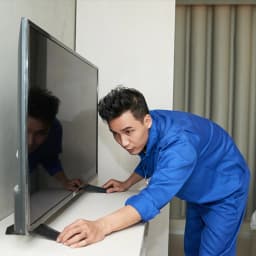
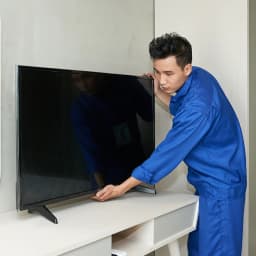
We wall-mount TVs with brackets suited to the size and the wall type, an important point in Purnia homes where some walls are older brick with plaster that does not hold anchors well. We avoid outer walls that turn damp in the monsoon. When you move house, we dismount, pack and remount the set and reconnect your set-top box, sound bar and internet. For offices, hotels, hospitals and coaching institutes with several screens, we offer periodic maintenance visits to clean vents, update software and check power protection.
When a TV needs workshop repair, such as backlight strip replacement or board-level work, we pack it screen-inward in padded covers, carry it upright, and return it after testing. In the monsoon, we wrap sets against rain for the journey, because a few drops reaching the panel's edge can undo the repair.
TV Brands We Repair in Purnia
Samsung, Sony, Mi/Xiaomi, TCL, OnePlus, Vu, Panasonic, Realme and Thomson LED, smart and 4K televisions. AC Care India is an independent repair company and not an authorised service centre for any TV maker. Brand names here only indicate the sets we work on. If your TV is under its manufacturer's warranty, it is best to contact the brand first.
Neighbourhoods Covered in Purnia
Bhatta Bazar, Khuskibagh, Line Bazar, Rambagh, Madhubani, Gulabbagh, Sipahi Tola, Janta Chowk, Purnia City, Kasba, Chunapur, Maranga, Rajni Chowk, Baghmara, Kali Bari area, Adampur, Parora and the Court Station area.
Book LED TV Repair in Purnia
Expect a verified technician, the cost before work begins, a warranty on repairs and fitted parts, genuine or clearly labelled compatible spares, and same-day or next-day visits in most localities. If a repair is not worth your money, we will say so.
Call 9266608882 or book online through this page with your TV brand, size and the symptoms.
