

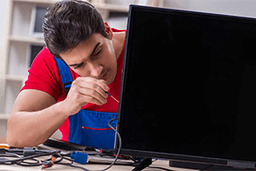
A June Night in Kosabadi: Lightning Over the Cooling Towers, and the TV Will Not Wake Up
The first storm of the season has rolled in from the west, the chimneys of the power stations are lit up by flashes, and the lights have flickered twice. In the morning the television shows a standby light that blinks and nothing else. Nobody unplugged it, and the spike guard on the extension board has a scorched smell. This is the most common LED TV call we get in Korba, and it is only one of the ways this city's year works on a television. Below, the seasons one by one, what each does to a set, the faults and their causes in a table, a ten-step service checklist, what we will not pretend to fix, and how AC Care India handles LED TV repair in Korba.
March to May: Heat and Ash on the Board
Korba's summer arrives fast. By April the afternoon room is above 38°C, and a television mounted on a wall with no air behind it runs its power supply and backlight driver hotter than they were designed for. Capacitors on the power board age quickly in that heat. At the same time the dry wind carries fly ash from the dykes and coal dust from the mines into every room, and the vents along the back of the set draw it in. Ash is slightly conductive when humid, and a layer on the mainboard is a problem waiting for the monsoon. The symptom of a hot, dusty summer is a set that takes longer to start, flickers at low brightness, or shuts down after an hour.
Late May to June: Lightning Season
Pre-monsoon thunderstorms in this part of Chhattisgarh are violent, and the surge enters a television through three routes: the mains, the DTH cable from the dish, and the broadband line to the router. The power supply board takes the mains hit, the tuner or HDMI section takes the cable hit, and the Wi-Fi module takes the network hit. A cheap spike guard does little. A proper surge protector on the mains, a surge arrestor on the coaxial line and unplugging the set during a storm are the only real defences. If a set died after a storm, the diagnosis usually starts at the power board fuse and works inward.
July to September: Humidity Finds the Dust
Korba's monsoon is long and wet. Humidity inside a closed room climbs, and the ash that settled on boards in summer now draws moisture. Corrosion starts on connector pins, especially the LVDS ribbon between the mainboard and the panel and the HDMI ports at the back. Symptoms are lines on the screen that come and go, an HDMI input that works only when the cable is wiggled, and a set that behaves oddly in the morning and settles by afternoon. Ground-floor rooms in older colonies and quarters near the Hasdeo suffer most.
October to November: Diwali, Chhath and the Big Match
Festival season in Korba's townships means new sets bought, old sets moved, and heavy evening viewing. Firecracker smoke adds to the dust load. Sets that were marginal in September fail during the week they are needed most, and wall mounts fitted in a hurry for a new 55-inch screen are the start of a sagging-bracket problem. If a television has shown any flicker or startup delay through the monsoon, have it checked before the festivals rather than during them.
December to February: The Quiet Season
Winter is cool and foggy, the air is still, and the inversion holds ash close to the ground, so the dust keeps coming even though the heat has gone. The set is under less thermal stress, which makes this the right time for a planned repair: backlight strips replaced, a tired power board recapped, or an old set assessed honestly. Technicians are less rushed and a day without the TV is easier to bear than in cricket season.
Fault, Cause and Fix for Korba Televisions
| Symptom | Cause Here | Repair |
|---|---|---|
| Sound, no picture; image visible with a torch | Backlight strip failed; driver fault from heat | Replace strips or driver |
| Dead, no standby light | Power board fuse or capacitors after a storm surge | Repair or replace power board; surge protection |
| Standby blinks, will not start | Mainboard or power board; sometimes firmware | Board-level repair, reflash |
| Lines that come and go | Corroded LVDS connector; T-con board | Clean and reseat, replace T-con |
| Permanent vertical line or dark blotch | Panel damage | Usually not economical; we say so |
| HDMI port works only when wiggled | Corroded or cracked port after monsoon | Port replacement |
| Set shuts off after an hour | Overheating power board in a hot, dusty room | Clean, recap, improve ventilation |
| Apps crash, Wi-Fi drops | Software or Wi-Fi module after surge | Reset, update, replace module |
| No sound or crackle | Speakers or audio amplifier | Replace speakers, repair amp section |
Our Ten-Step TV Service Checklist
- Confirm the fault with the set's own inputs: a different HDMI source, a USB file, a torch test on the screen.
- Check the mains voltage and the condition of any surge protector.
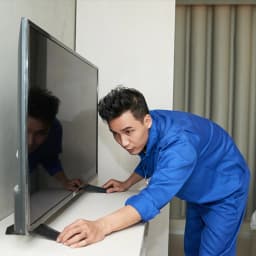
- Dismount the set if wall-fixed and lay it face down on a padded surface.
- Open the back and clean the dust from boards and vents before testing.
- Test the power supply rails and the backlight driver output.
- Inspect and reseat the LVDS ribbon and check connectors for corrosion.
- Identify the failed board or strips and give you a written estimate.
- Repair at component level where feasible, or fit a genuine or matched compatible board.
- Run a soak test for picture, sound, ports and smart functions.
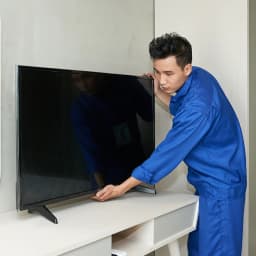
- Remount, check the bracket, and advise on surge protection.
Mounting, ventilation and the ash problem
Most of the larger sets in Korba's quarters and flats are on the wall, and the wall is where the trouble starts. A flush bracket on a warm west-facing wall leaves no gap for air behind the set, and the power board cooks. A tilting bracket with a few centimetres of clearance makes a measurable difference. Brackets screwed into the hollow partition walls of the newer blocks sag over a year, and a sagging set stresses the panel's edge. As for the dust, a dry paintbrush run along the rear vents once a month, with the set off, keeps the ash out of the boards; a damp cloth makes it worse. We check the bracket and clean the vents on every call, and if the set should move to a cooler wall, we say so.
What We Will Not Do
We will not tell you a panel can be repaired when it cannot; a cracked or blotched panel is a replacement set, and we say that at the first visit. We will not replace an entire backlight set when one strip has failed. We will not fit strips of the wrong voltage that will fail by the next monsoon. We will not take a set away for days without a receipt and a reason. And we will not charge for a visit where the fault turns out to be the DTH signal or the Wi-Fi, if you call us first and we can work that out on the phone.
Areas We Serve in Korba
Kosabadi, Niharika, Transport Nagar, Power House Road, Jamnipali, Balco Nagar, Darri, Rampur, Kusmunda, Dipka, Gevra, Urga, Kohdia, Pondi, Rajgamar, Sitamani, Bankimongra, Budhwari Bazar, Mudapar, Risdi, Nehru Nagar, CSEB colony and Hasdeo colony. Guest houses, hostels and clubs in the industrial townships can book several sets in one visit.
Brands We Repair
Samsung, Sony, Mi and Xiaomi, OnePlus, TCL, Vu, Panasonic, Thomson and Realme, from 32-inch bedroom sets to 65-inch and larger, smart and non-smart, on Android, Google TV, Tizen and webOS. We handle backlight strips, power and mainboards, T-con boards, IR sensors, keypads, speakers, HDMI ports and firmware.
Why AC Care India for LED TV Repair in Korba
- Verified technicians trained in board-level repair, so a bad capacitor does not become a whole new board on your bill.
- Written estimate before the back comes off.
- Warranty on repairs and spares.
- Genuine or correctly rated compatible boards and strips.
- Same-day or next-day visits across most of the city and townships.
- A straight answer when the panel is gone.
AC Care India is an independent multi-brand repair service and not the authorised service centre of any television maker. Brand names here identify the sets we repair and nothing more; a set under the manufacturer's warranty should be referred to the brand first.
Book LED TV Repair in Korba
Call or WhatsApp 9266608882, or book online through this page. Tell us the brand, the screen size, whether it is wall-mounted, and what the screen and sound are doing. A surge protector before the first storm of May is the cheapest TV repair in this city.
