
Switching the TV Off With the Remote Does Not Protect It From a Bharatpur Storm
A lot of families in Bharatpur believe that once the TV is turned off with the remote, it is safe when a thunderstorm rolls in. It is not. In standby, the TV's power supply board is still connected to the mains and partly alive, waiting for the remote's signal. A spike on the line, whether from lightning nearby or from supply coming back with a jolt after a cut, travels straight into that board. Worse, the dish antenna on the roof is connected by a coaxial cable to the set-top box, which is connected by HDMI to the TV. A strike near the dish can send a surge down that path and burn out the HDMI port or the main board, even with the TV plug pulled out. The only real protection during a storm is to unplug both the TV and the set-top box, and ideally disconnect the dish cable too.
Many of the repairs we carry out in the city trace back to Bharatpur's weather and power conditions. This page explains those conditions first, then the symptoms, then how AC Care India handles LED TV repair in Bharatpur.
Storm Season and the Power Supply in Eastern Rajasthan
From May into June, eastern Rajasthan sees dust storms and thunderstorms building in the afternoons as the heat peaks, and the monsoon from July to September brings more lightning. Supply in the city is generally steady, but storms bring trips and outages, and restoration can come with a surge. On hot summer evenings, when coolers and ACs run in every house, voltage can sag in some colonies, and TVs sharing a circuit with large appliances see repeated dips.
The LED TV's power supply board converts mains AC into the low DC voltages the TV needs. It is designed to cope with a range of input voltages, but repeated spikes and sags wear out its capacitors, and a large surge can blow its fuse, rectifier or switching transistor in an instant. After the power board, the most surge-sensitive parts are the HDMI ports and the main board. A good surge protector, not just an ordinary extension cord, is the cheapest insurance a Bharatpur TV can have.
Heat That Bakes the Backlight
Bharatpur summers are long, with afternoons in the mid-40s for weeks in May and June. Inside a living room with no AC, or one where the AC is only switched on at night, temperatures can stay high for hours. LED TVs generate their own heat, mostly from the backlight strips behind the panel and from the power board. They rely on vents at the back to get rid of it.
A TV mounted flush against a wall that faces the afternoon sun, or squeezed into a tight wooden showcase, struggles to cool itself. Heat speeds up the ageing of LED backlight chips, and in many budget and mid-range TVs, the LEDs are driven hard to achieve brightness, so they have little headroom. One failed LED in a series string turns off that strip, and the result is a dark screen with sound still working.
Dust Storms, Monsoon Damp and Winter Fog
Fine dust carried in by the aandhi gets into TVs through their rear vents. On the power board, dust layers trap heat. When the monsoon brings humid air, that dust absorbs moisture and becomes slightly conductive, which can cause tracking and short circuits on high-voltage parts of the board. Winter fog and cold mornings in December and January bring condensation in rooms that stay closed overnight. A TV switched on in a damp room sometimes shows flicker or fails to start until it warms up.
Where the TV Sits Makes a Real Difference
Placement is one of the few things you fully control, and in Bharatpur's climate it matters. A few practical points from the homes we visit:
- Leave at least a few inches between the back of the TV and the wall, even on a wall mount, so hot air can escape from the vents.
- Avoid the wall that takes the afternoon sun. In many houses in the colonies, that west-facing wall stays warm well into the night.
- Keep the TV away from the window that lets in dust during storms, and away from cooler spray. Desert coolers are still common in the city, and the moist air they blow should not be aimed at electronics.
- Do not stack the set-top box or a sound bar directly in front of the TV's vents.
- Turn down brightness from the "vivid" or "dynamic" preset to a standard picture mode. It looks better in a normal room and reduces stress on the backlight.
One more local habit: running the TV from a home inverter during power cuts. Modern sine-wave inverters are generally fine, but older square-wave units produce a rough output that can wear a TV's power board over time. If your power board has failed more than once, the inverter is worth a check.
What the Screen Is Telling You
| Symptom | Likely Cause | Can You Check Anything? |
|---|---|---|
| Sound but no picture | Backlight strip failure | Shine a torch close to the screen; a faint image means backlight |
| No power, no standby light | Power supply board fault after a surge | Try another socket; check the surge protector |
| Vertical or horizontal lines | T-con board, panel cable or panel damage | Note whether lines appear on the TV's own menu too |
| HDMI shows no signal | Damaged port, cable or wrong input | Try another HDMI port and cable |
| Stuck on logo or rebooting | Software issue or main board fault | Unplug for a few minutes, then restart |
| Picture dim or patchy | Ageing backlight LEDs | Check brightness and power-saving settings |
| No sound | Speakers, audio section, or output setting | Check sound output setting and mute |
A Repair Visit From Start to Finish
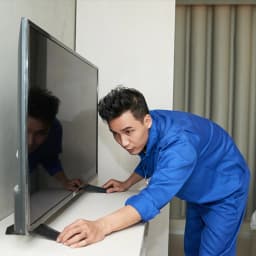
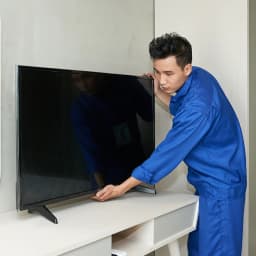
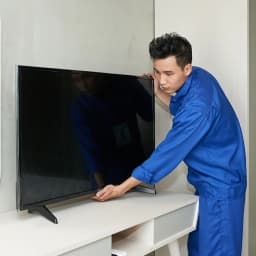
The technician begins at the plug: checking the socket, surge protector, set-top box and cables, and confirming the input source and settings. That alone resolves a surprising number of calls. If the TV itself is at fault, they perform a torch test, check the standby voltage and, if needed, open the back panel on a clean, padded surface to test the power board, backlight strips, T-con and main board.
You are told what has failed and what it will cost before any repair starts. Simple jobs like a power board repair or HDMI port can often be finished at home. Backlight replacement on larger screens may require the panel to be handled at a workbench to avoid damage, and we tell you this in advance. After repair, the TV is run for a while to check brightness uniformity, colours, sound, Wi-Fi and every input.
Things You Can Check, and Things to Leave Alone
Check yourself
- Restart the TV and set-top box by unplugging both for a few minutes.
- Try a different HDMI cable and port.
- Reset picture settings or turn off power-saving mode if the screen looks dim.
- Check for software updates on a smart TV.
- Make sure vents are free of dust and the TV has space behind it.
Leave to a technician
- Opening the back panel; the power board holds high voltage.
- Replacing backlight strips; panels crack easily if handled wrongly.
- Anything after a burning smell, smoke or a loud pop.
- Repeated tripping of the MCB when the TV is plugged in.
Television Brands We Repair
LED, smart, 4K and QLED televisions from Samsung, Sony, OnePlus, Mi and Xiaomi, Vu, TCL, Realme, Thomson and Panasonic. We also do wall-mounting and remounting when you shift house.
Bharatpur Localities on Our Route
Jaghina Gate, Ranjeet Nagar, Krishna Nagar, Gopalgarh, Saras Chauraha, Atal Bandh, Mathura Gate, Kumher Gate, Neemda Gate, Anah Gate, Suraj Pol, Goverdhan Gate, Hiradas, Bijli Ghar Chauraha, Kali Bagichi, the Railway Station area, Mathura Road, Agra Road and Deeg Road, plus Sewar and Nadbai on scheduled days.
Is the TV Worth Repairing?
Backlights, power boards, HDMI ports and speakers are usually good-value repairs on TVs of almost any age. Main boards and T-con boards are worthwhile when available for your model. A cracked or physically damaged panel is the exception: on most LED TVs, the panel is the costliest part, often close to the price of a new TV, and we will advise you honestly when replacement makes more sense.
Book TV Repair in Bharatpur
AC Care India provides verified technicians, an upfront quote, a warranty on repairs and fitted parts, genuine or proven compatible spares, same-day or next-day visits in most areas, and frank repair-or-replace advice. We are an independent multi-brand service company, not an authorised service centre for any TV brand; brand names are used only to identify products we repair, and sets under warranty should go to the brand first.
Call or WhatsApp 9266608882, or book through this page with your locality, TV brand, screen size and the problem.