


A June Evening in Vaishali Nagar: The Sky Turns Brown, the Lights Flicker, and the TV Goes Dark
It is just past seven on a June evening. The day has been 44°C, the first pre-monsoon storm is gathering in the west, and a wall of dust is moving across Vaishali Nagar. The lights in the flat dip twice as the colony's load swings, there is a crack of lightning somewhere over Jhotwara, and the 50-inch television in the living room clicks off. When the power settles, the standby light blinks but the screen stays black. This scene repeats across Jaipur every pre-monsoon season, and it is the single most common way an LED TV fails here. But it is only one of several. To understand LED TV repair service in Jaipur, it helps to open the set up, part by part, and see what the city's heat, dust and electricity do to each.
The Power Supply Board: First Casualty of Jaipur's Electricity
The power board takes mains electricity and turns it into the stable low voltages the rest of the TV needs. It is the part that faces the outside world, and in Jaipur the outside world is rough: evening voltage dips when every AC in a colony starts at once, cuts and restarts during storms, and surges when lightning strikes near a line. The board's fuse, bridge rectifier, main capacitor and standby circuit take the hits. A completely dead TV, a standby light with no response, or a set that clicks and tries to start repeatedly usually points here. Many of these boards are repairable at component level, which costs far less than a replacement board, and we attempt that first.
Backlight Strips: Heat, Hours and Brightness
Behind the LCD panel, strips of small LEDs light the picture. They run hot, and their life depends on how bright they are driven and how hot the room is. A TV running at showroom brightness in a west-facing room through a Jaipur summer, for the long hours a joint family keeps it on, ages its backlight fast. The symptom is sound with no picture, or a picture visible only with a torch held to the screen, or a dark patch and uneven glow. We replace the full set of strips rather than one, because mixing new and old gives a blotchy picture within months, and we set the brightness to a sensible level afterwards.
The Mainboard: Dust, Ports and Software
The mainboard carries the processor, memory, tuner, HDMI inputs and the smart TV software. Jaipur's dust settles on it through the vents, and dust on a warm board holds moisture when the monsoon arrives, which encourages corrosion and short circuits. HDMI ports suffer from cables yanked during set-top box changes and from surges through the cable line. Software faults, which make a smart TV freeze, lag or refuse to open apps, look like hardware faults but are not. We test each input separately, update firmware and clear storage before concluding that the board itself has failed.
The T-Con Board and Panel: Where We Are Honest
The timing controller sits between the mainboard and the panel and drives the picture lines. When it fails, the screen shows a doubled image, half the screen goes dark, or colours go strange. It is replaceable. The panel itself, the glass with its millions of pixels, is a different matter. Fixed vertical or horizontal lines, a crack from a cricket ball or a fall, or ink-like patches mean the glass is damaged, and a replacement panel usually costs more than a new set. We say so before charging a visit, and a photograph on WhatsApp often lets us tell you in advance.
Is it the TV, the set-top box or the internet?
A good share of Jaipur's "TV not working" calls are not about the television. A DTH box that shows "no signal" after a dust storm has usually lost dish alignment on the roof. A smart TV whose apps buffer endlessly is often sitting two concrete walls away from the router. A black screen with a "check cable" message points to the HDMI lead or the box, not the panel. Before booking, switch the TV to another input, restart the set-top box and router, and try a different HDMI cable. If the picture returns on one source, the TV is fine. We still take those calls, but we would rather save you the visit fee.
Speakers, IR Sensor and the Small Parts
Speakers crackle or die from dust and from being driven loud in large rooms. The infrared sensor that reads the remote fails or gets blocked by a dusty bezel. Wi-Fi modules on smart sets lose their pairing after a storm. These are small, cheap repairs that make a set feel new again, and they are worth doing on any TV that is otherwise sound.
Part, Expected Life and Early Warning in Jaipur Conditions
| Part | Expected Life Here | Early Warning |
|---|---|---|
| Power supply board | 5 to 8 years; less without surge protection | Clicking on start, standby light only, dead after storm |
| Backlight strips | 4 to 7 years at high brightness; longer at moderate | Dim corners, flicker, picture visible only with a torch |
| Mainboard | 7 to 10 years | Inputs failing one by one, freezing, no sound on all sources |
| T-con board | 6 to 9 years | Doubled image, half screen dark, colour blocks |
| Panel | 8 to 12 years if undamaged | Fixed lines, dead patches; usually not economical to replace |
| HDMI ports | Depends on handling | No signal from a known-good box or cable |
| Speakers | 6 to 10 years | Crackle, buzzing, one side silent |
Diagnostics We Run Before Quoting
- Check the socket voltage and earthing, and look at how the set is mounted and ventilated.
- Test every input, DTH, HDMI, USB and apps, to separate software from hardware.
- Torch test on the screen to tell a backlight failure from a panel or board failure.
- Open the back on a padded surface, protecting the panel.
- Measure the power rails and the backlight driver output.
- Inspect boards and ribbon connectors for dust tracking and corrosion.
- Test speakers, IR sensor and Wi-Fi module.
- Explain the fault and give a written quote before replacing anything.
Installation, Wall Mounting and AMC
Screen sizes in Jaipur have grown quickly; the 32-inch bedroom set has given way to 50, 55 and 65-inch screens in living rooms, and those larger panels are heavier, run hotter and are far more expensive to replace if the glass is damaged. A secure mount and a gap for air matter more with every extra inch.
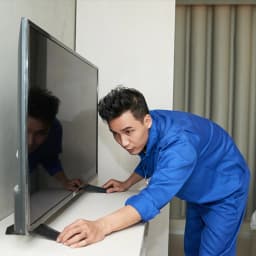
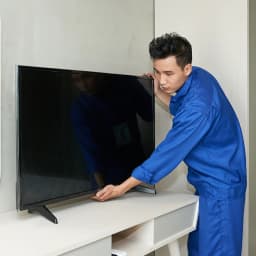
We install and wall-mount televisions across Jaipur, including on the thick stone walls of the Walled City and Brahmpuri, where ordinary anchors fail, and on the hollow-block walls of newer towers in Jagatpura and Pratap Nagar, which need the right fixings. We route cables so a surge protector sits within reach, and we leave a gap behind the set for air. If you are shifting within the city, we unmount, pack and remount. Hotels, hostels, showrooms and offices with many screens can take an annual maintenance plan with scheduled cleaning and priority repair.
Protecting a TV in Jaipur
- Plug the TV, set-top box and router into one surge-protected strip with cable-line protection.
- Unplug during the pre-monsoon and monsoon storms of June to August.
- Turn the backlight and brightness down from the showroom setting.
- Dust the vents gently every fortnight during the dust storm months and after Diwali.
- Keep the set off during long power cuts rather than letting it restart repeatedly.
- Update smart TV software and clear app storage every few months.
Brands We Service
Samsung, Sony, Mi and Xiaomi, OnePlus, TCL, Vu, Panasonic, Thomson and Realme, along with other LED, QLED and smart sets of all sizes. AC Care India is an independent, multi-brand repair service and not an authorised service centre for any television manufacturer. Brand names here only identify the sets we work on. If your TV is still under the maker's warranty, approach the brand first.
Jaipur Localities We Cover
Vaishali Nagar, Chitrakoot, Jhotwara, Vidhyadhar Nagar, Murlipura, Sikar Road, Shastri Nagar, Bani Park, Sodala, Civil Lines, C-Scheme, MI Road, Bapu Nagar, Lal Kothi, Tonk Road, Durgapura, Malviya Nagar, Jawahar Nagar, Raja Park, Adarsh Nagar, Mansarovar, Jagatpura, Pratap Nagar, Sanganer, Sitapura, Jhalana, Brahmpuri and the Walled City.
Book LED TV Repair Service in Jaipur
Verified technicians trained on board-level and backlight work; a quote before any part is fitted; warranty on the repair and parts; genuine or quality-matched components; same-day or next-day visits in most of the city; and an honest word when a panel is beyond saving. Call or WhatsApp 9266608882, or book online through this page. Tell us the brand, size and what the screen is doing, and whether it failed after a storm, and we will arrive prepared.
