
A July Evening on Bajaj Road: Thunder, a Cricket Match and a Screen That Goes Black
The first heavy monsoon storm of the season has rolled over Sikar. On Bajaj Road, a family has gathered in front of the 50-inch smart TV for an evening cricket match. Lightning flickers over the rooftops, the power trips, comes back, trips again. When supply finally steadies, the TV's standby light stays dark. No picture, no sound, nothing. Next door, the neighbours' set-top box has also died.
That kind of evening is a familiar start to LED TV repair in Sikar. The town's long, scorching summers, its dust, its short but stormy monsoon and its unsteady voltage each attack different parts of a television. To understand what can be fixed and what cannot, it helps to open the TV up, part by part, and see how each component behaves in Sikar conditions. After that, we explain how AC Care India tests and repairs each one.
The Power Supply Board: First to Take the Hit
Every LED TV has a power supply board that converts mains electricity into the low voltages needed by the rest of the set. In many models it also drives the backlight. It contains a fuse, a bridge rectifier, large filter capacitors, switching transistors and a small transformer.
In Sikar, this board faces two threats. The first is surges: lightning during the July to September monsoon, and voltage spikes when power returns after a cut. The second is chronic low voltage in the evening peak, which makes the switching circuit work harder and heat up. Typical signs are a TV that is completely dead, a standby light that blinks but the set never turns on, or a set that switches off by itself after some minutes. A component-level repair of the power board is often possible and is far cheaper than replacing it whole.
LED Backlight Strips: Heat Is the Enemy
Behind the LCD panel are rows of small LEDs mounted on aluminium strips. They provide all the light you see through the screen. Manufacturers drive them hard to achieve bright pictures, and the LEDs are wired in series, so one failure darkens the whole strip or the whole screen.
Heat shortens LED life. In Sikar, rooms often stay well above 35°C on summer evenings, top-floor rooms under flat concrete roofs even more so, and a TV running for hours in that heat with the backlight at maximum is stressing its strips daily. The classic sign of a failed backlight is sound with a black screen, where a torch held at an angle reveals a faint image. Other signs are dark patches, a flickering picture or a screen that goes dark after a few minutes. Replacing the full set of strips, not just the dead one, gives the most reliable result.
Mainboard and T-Con Board: The Brain and the Translator
The mainboard handles everything from tuning and HDMI inputs to apps, sound and picture processing. The T-con, or timing control board, takes the processed image and translates it into signals that drive the individual pixels on the panel.
Fine dust finds its way into every Sikar home in the dry months and during dust storms, and it settles on boards and connectors inside the TV. Combined with heat, it can cause intermittent faults on the mainboard. Surges reaching the TV through HDMI, the antenna or the set-top box cable also damage the mainboard. Typical signs: restarting at the logo, apps crashing, no response to the remote, or no signal on a particular input. T-con faults show up as lines, a washed-out or negative-looking picture, or half the screen missing. Both boards can often be repaired or replaced at reasonable cost.
The Panel: Expensive and Usually Not Worth Replacing
The LCD panel is the glass screen with its liquid crystal layer and the thin driver strips along its edges. It is the most costly part of the TV. Cracks from a knock, pressure marks from cleaning too hard, spreading black patches like ink, or fixed vertical lines that never change all point to panel damage.
We will be straight with you: on most TVs under 55 inches, a replacement panel, where available at all, costs close to the price of a new set. Our technicians will confirm whether it is truly the panel and not the T-con or a loose ribbon cable, and then give you an honest recommendation rather than an expensive repair that makes no financial sense.
Ports, Speakers, Wi-Fi and Smart TV Software
HDMI and USB ports wear out from repeated plugging and can be burnt by surges travelling through a connected set-top box or sound bar. Speakers fail from age or from being driven at high volume, and the audio amplifier on the mainboard can go too. Wi-Fi modules drop connections, and smart TV software becomes slow or unstable as apps grow. Many "the TV is broken" calls turn out to be a software update, a factory reset, a wrong input selection or a lapsed DTH subscription, and we are happy to confirm that before you book a visit.
Protecting a TV From Sikar's Power and Weather
Most of the damage we repair in Sikar could have been avoided with a few simple measures. Plug the TV into a spike guard with genuine surge protection, not a plain extension board, and make sure the socket has a working earth; many older houses and rented rooms do not. During monsoon thunderstorms, switch the TV off at the wall and unplug the dish cable from the set-top box if lightning is close, since surges often enter through the antenna line rather than the mains.
In summer, keep the backlight at a moderate level instead of the brightest "vivid" mode, and leave space around the TV's rear vents so heat can escape. A TV pushed tight into a wooden cabinet or a wall niche in a hot top-floor room ages much faster. During the dusty months, wipe the vents with a soft dry brush every couple of weeks. If you use a voltage stabiliser for an AC or fridge, a TV does not usually need one, but in areas with very poor evening voltage a small stabiliser or a good surge protector does no harm.
How We Diagnose a Television
- Check the socket, earthing and any stabiliser or spike guard in use.
- Inspect connected devices such as the set-top box, sound bar and cables for surge damage.
- Measure output voltages on the power board.
- Run a backlight test independently of the panel.
- Use the TV's service menu and test patterns to isolate the mainboard or T-con.
- Inspect ribbon cables and connectors for dust, corrosion or looseness.
- Test each port, the speakers, Wi-Fi and the remote.
You get the diagnosis and a quote before anything is replaced.
TV Parts, Expected Life and Early Warnings
| Part | Typical Life in Sikar Conditions | Early Warning Sign |
|---|---|---|
| Power supply board | 5 to 8 years; shorter without surge protection | Slow start, clicking, random switch-offs |
| LED backlight strips | 4 to 7 years at high brightness in hot rooms | Dim patches, flicker, screen dark but sound on |
| Mainboard | 6 to 10 years | Logo restarts, app crashes, remote not responding |
| T-con board | 7 to 10 years | Lines, washed-out colours, half-screen image |
| HDMI and USB ports | Depends on use and surges | Intermittent signal, no detection |
| Speakers | 6 to 10 years | Crackling or distorted sound |
Wall Mounting, Shifting and Yearly Care
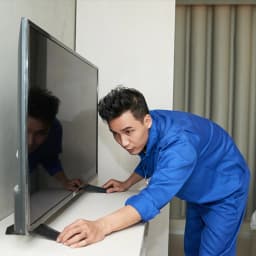
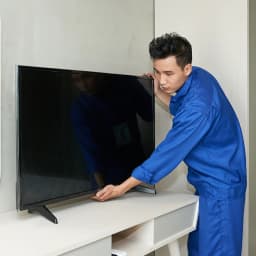
We wall-mount new TVs on solid brackets at the right viewing height, with a gap behind for air circulation, and route cables neatly. For students and families who move house within Sikar, we take the TV down safely, pack it properly and reinstall it at the new address. A yearly check before the monsoon covers internal dust cleaning, connector inspection and advice on surge protection. Larger repairs such as backlight replacement may be done at our workshop, with careful handling of the panel. Our technicians are verified, and every repair and part carries a warranty.
TV Brands We Repair
Samsung, Sony, Mi and Xiaomi, OnePlus, TCL, Vu, Realme, Panasonic and Thomson, from 32-inch sets to large smart TVs. AC Care India is an independent multi-brand repair service and not the authorised service centre of any TV brand. Names appear here only to identify the products we repair; if your television is still under its maker's warranty, please contact the brand first.
Neighbourhoods We Cover in Sikar
Bajaj Road, Kalyan Circle, Piprali Road, Station Road, Nawalgarh Road, Jaipur Road, Fatehpur Road, Radhakishanpura, Shiv Colony, Subhash Chowk, Jat Bazaar, Basant Vihar, Devipura, Sanwali Road, Palwas Road, Sabalpura, Rani Sati Road, Tapadiya Bagichi and the RIICO industrial area.
Book LED TV Repair in Sikar
Call or WhatsApp 9266608882, or book online through this page. Tell us the brand, screen size and exactly what the TV is doing, and whether it happened after a storm or power cut. Same-day or next-day visits are available in most areas, and you will get an honest answer on repair or replacement.